
Radio repair Wrocław — without travelling to the workshop
After an update, does the radio freeze on the logo, show a black screen or stop responding? Send a photo and describe what was done. OEMatic in Sochaczew accepts postal jobs from Wrocław. We will check whether we can work on your unit.
We repair factory radios, navigation units and car amplifiers.
Initial quote before dispatch
On request — courier both ways at our expense
12 or 24 months' written warranty — according to the offer
The radio stopped working
after the update?
Before loading the files again, tell us what happened. It is important whether maps, the radio software or settings were updated. Also show the message or the screen where the unit stopped.
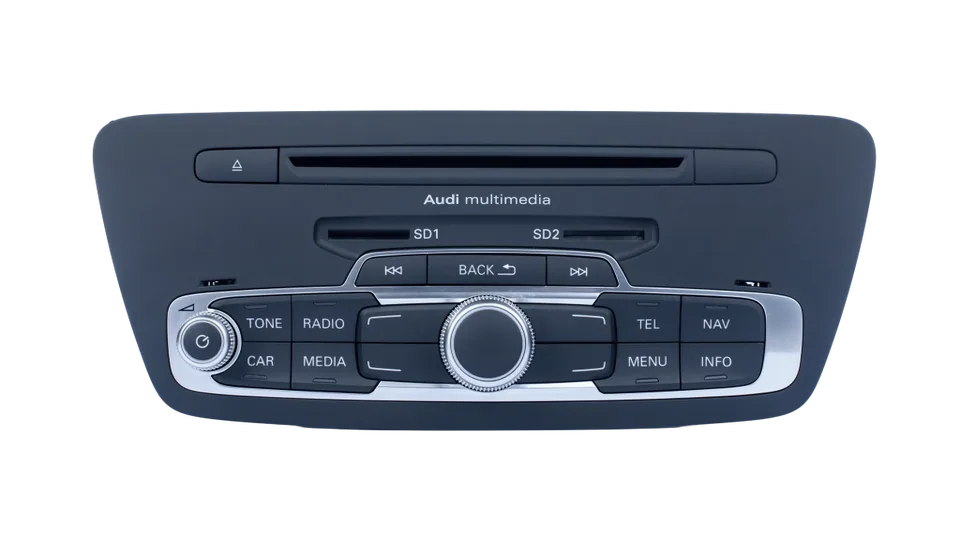
Show the screen where the update stopped
Take a photo of the whole screen. Write whether the logo, installation progress, an error message or nothing at all is visible. You do not need to know the meaning of every line — we will start with what you can see.
Send the update details
If you know the file name and version, include them in the description. Mention any power interruption or further attempts. If you do not know what was uploaded, say so plainly rather than guessing the package name.
The update does not determine the cause of the fault
The fact that the problem appeared after an update does not yet prove that the files themselves were faulty. The condition of the unit also has to be taken into account. The checking method depends on the model and what is currently working.
The radio has already been to another workshop
You can also report it after a previous repair attempt. Write what was done and whether the radio’s behaviour changed. If you have a work report, attach it; not having a document does not rule out an initial conversation.
You can arrange removal in Wrocław
We will first confirm what needs to be delivered. You can then arrange for a local workshop to remove the equipment and send the unit to us. If any additional work is needed in the car, we will discuss it separately.
Examples of repairs to factory units

Repair of MIB STD2 PQ – touch not working | VW, Skoda, Seat
Are you trying to enter an address in the navigation, but half of the keyboard does not respond? Do you want to set a radio station manually, but the slider stops halfway and will not move any further?

Repair of Ford ACM module — no sound, crackling
No sound in a Ford Kuga, Escape, Ranger or Lincoln? It may be dry joints on the PCB of the Panasonic ACM module — not a radio replacement. Refurbishment 984 zł, 1-3 days, 24-month warranty.

Mercedes Logic7 amplifier repair – no sound
No sound in a Mercedes W221 or W216? The Logic7 amplifier may be to blame. See why it fails, how professional refurbishment is carried out, and why it is worth repairing rather than buying a used unit.

BMW amplifier repair – Harman Kardon, Top Hi‑Fi, Logic7 – no sound after water ingress
Water in the boot and a blown 40A fuse are a common cause of silence in the radio. Find out when repair makes sense — free diagnostics and a quote within 24h.
From Wrocław to the workshop and back
01
You report the problem
Send a photo of the radio, give the model and year of the car, and describe what is not working. If you do not know the name of the unit, we will help identify it. We will tell you whether we deal with this equipment and what needs to be sent for inspection. We usually reply within 24 hours on working days.
02
You prepare the unit
Once we have established what needs to be sent, you can have the unit removed by a local workshop. Protect the screen and connectors, and pack the unit so it cannot move inside the box. Follow our guidance in the packing instructions.
03
You hand over the parcel
We can arrange a courier on request. Provide the parcel collection address and the address to which we should return the unit. If a workshop is sending it, please also agree who we should contact about the repair price.
04
You decide on the repair
We inspect the unit and provide a repair price. You decide whether to proceed. Once you approve, we repair the unit and test it before return. If anything still does not work after installation, contact us and describe the problem.


on Google 5.0/5 — 370 reviews

Rating 5 out of 5. GOOGLE REVIEW
Many thanks to the entire OEMatic team for repairing the radio in my Lexus CT.
Professional and reliable service. I can wholeheartedly recommend this workshop!
Problem: black screen, no working radio, no interaction with the radio at all.
 Jan Bał
Rating 5 out of 5. GOOGLE REVIEW
Highly recommended! My OEM JBL amplifier from a Toyota (CHR, 2017) suffered a short circuit, and other audio workshops would not agree to repair it. Here the problem was solved extremely quickly. They received the parcel on Monday, and by Thursday the repaired unit was back with me. Excellent communication at every stage, and most importantly – the price includes a 24-month warranty.
Complete professionalism!
 Mateusz Janiczek
Rating 5 out of 5. GOOGLE REVIEW
A service absolutely worth recommending. After years of problems with the infotainment head unit in my Skoda Superb constantly freezing and resetting, the MIB was finally repaired. The main dealer could only offer a replacement with a new unit for 3500 eur (!), other car audio companies could not help, and OEMatic carried out the repair in 1 day.
 Piotr Nofski
Rating 5 out of 5. GOOGLE REVIEW
I recommend them wholeheartedly….I don’t know how they did it, but they decoded the radio from an Iveco Daily 2020 faster than it takes to pack the parcel with the radio…One workshop promised a lot, but failed and said the radio was only fit for scrap. I highly recommend them — complete professionalism and a good price. Best regards.
 autoodnowa u.
Rating 5 out of 5. GOOGLE REVIEW
I can definitely recommend them. Mr Tomasz repaired my BOSE amplifiers, RNS, NTG navigation units and more. Always 100% successful, fantastic customer approach and a convenient online platform for placing repair orders.
 Piotr Brzezina
Rating 5 out of 5. GOOGLE REVIEW
I recommend OEMatic — only 3 days passed from sending the radio to the workshop and having it fitted back in my car.
The radio from a Mercedes ML W164 2007 NTG2 BE 6089 had its fault diagnosed extremely quickly, and the repair was carried out just as fast.
Communication with Mr Tomasz was excellent, and updates from the workshop on the progress of the repair were sent promptly. This is definitely a workshop other people can learn from.
An obvious 5 stars from me.
 Adrian
Rating 5 out of 5. GOOGLE REVIEW
I had a problem with my Audi A3 8V, with no sound from the factory multimedia player. The guys solved the problem in a few days. I recommend them!
 Rafał Niżnik
Rating 5 out of 5. GOOGLE REVIEW
Service and expertise 100%. Thank you for helping with my RNS 315 radio. Highly recommended!
 Michał Tuz
Rating 5 out of 5. GOOGLE REVIEW
VW Touran radio, I sent it to the company because the reversing camera was not working and the radio would not turn on. Sent by courier. Diagnosis: no faults. (the fault needs to be looked for elsewhere) The radio was sent back quickly and the company did not charge anything, not even for the return postage. There probably aren’t many honest companies like this left here in Poland. Many thanks.
 John Doe
Rating 5 out of 5. GOOGLE REVIEW
Definitely recommended. Very fast repair and very good, speedy communication. Information was available at every stage of the repair request process — an online repair management system. The unit (radio) was already meant to be written off and replaced with another used one. Fortunately, I accidentally found the OEMatic blog while looking for a replacement, and it saved me from replacing it with another used unit, which would have been a loss for the appearance (the fronts of the replacements I found were not in such good condition, and all of them were older than my unit from pre-facelift models); the newer ones were more expensive than the repair. So that’s a plus too.
 Artur Kozubski
Rating 5 out of 5. GOOGLE REVIEW
RNS 315 radio with faulty Bluetooth. The radio sounds better than new. Others gave up on the repair, OEMatic handled it efficiently and quickly without any problems. We need more professionals like this. Thank you for the repair.
 Krzysztof Szaboń
Rating 5 out of 5. GOOGLE REVIEW
Professionally carried out repair of a factory VW radio, excellent communication, complete professionalism. May there be more companies like this in Poland.
 Sławomir Pobłocki
Rating 5 out of 5. GOOGLE REVIEW
I left a Honda Jazz radio panel for repair. In addition to the radio, the guys also repaired the CD player at the same price, even though I hadn’t asked them to. I also received spare bulbs for the button backlighting. Very friendly and professional, the radio and player work flawlessly. I recommend them with a clear conscience. Such expertise is rare nowadays.
 b nowicki
Rating 5 out of 5. GOOGLE REVIEW
Highly recommended. ZENEC radio after the pin was blocked. Code removed. Radio works, old pin. Fast, 1 day. Telephone contact without any problem. Parcel safely packed.
 Stefan Nowak
Rating 5 out of 5. GOOGLE REVIEW
For a long time I’d been battling an annoying problem in my VW Passat B8 — the car radio kept losing sound. Fortunately, I found OEMatic Car Media Lab and it was a perfect choice!
From the first contact it was clear there was professionalism and huge knowledge of factory audio systems. Quick diagnosis and an even quicker (and most importantly: EFFECTIVE!) repair! The result? The radio plays crystal clear, with no dropouts or interruptions. You can tell the fault was removed at the source, not just temporarily masked.
If you have any problems with factory audio, navigation or the radio in your car (especially VW, Audi, Skoda!), I definitely recommend OEMatic Car Media Lab. True experts!
 Łukasz Puziak
Rating 5 out of 5. GOOGLE REVIEW
The Harman-Kardon amplifier in my BMW F33 was flooded, so I decided to hand it over to OEMatic. A quick check to see whether it could be saved — yes! it could! A few days later the amplifier was back with me after repair.
For a moment I also had doubts whether only the amplifier had been damaged by the flooding, because I lost the ability to set the time and information such as instant fuel consumption or average fuel consumption disappeared; after a phone call I was told that this can happen because of a break in the car’s CAN circuit due to the amplifier being absent.
The theory proved correct, and fitting the already repaired amplifier helped and all the functions returned.
I hope the amplifier will serve for a long time to come and without faults.
I honestly RECOMMEND IT!
 Michal Marecik
Rating 5 out of 5. GOOGLE REVIEW
A great company, they will help you in any situation when it comes to navigation.
Two companies from the Małopolskie region where I live suggested replacing the unit; at the authorised service centre the fault repair would cost 1400 ,- and they helped me fix it, and over the phone 😃
 Miroslaw Syty
Rating 5 out of 5. GOOGLE REVIEW
The content of the reviews I read quickly convinced me to have my unit repaired at OeMatic. I expected the highest quality of service at every stage and that is exactly what I received. After the phone call I received all the information needed for shipping by text message. As soon as the workshop received the parcel with the radio, I got a phone call, we agreed the details, I confirmed the price and the repair began. In the afternoon of the next day I was informed that the repair had been completed, I settled the bill and the radio was back with me after 4 days. It seems there is no room for even the slightest shortcoming in this company (such as a delay with a text message).
For me, this is the highest quality.
Thank you very much for the repair and I wish you success🙂
Dawid
 Ania Łyszkowska
Rating 5 out of 5. GOOGLE REVIEW
Professional and reliable service. The fault was initially diagnosed remotely, and the repair cost estimated. The unit was delivered to the workshop and collected remotely by courier. Everything was fast, straightforward and efficient. The car audio came back to life 🙂
I can recommend them with a clear conscience.
 Bartłomiej Machnik
Rating 5 out of 5. GOOGLE REVIEW
Five stars is not enough..
OEMatic solved the problem with a non-working USB port (motherboard repair) in the factory navigation system from a Kia Sportage in express mode. Highly recommended.
 KJ
You know the cost first.
Then you decide.
Repair after quote approval
Before dispatching, we give an estimated cost. After checking the unit, we confirm the price and wait for your approval.
Decide not to go ahead? You pay nothing for diagnostics or postage
If you decide against the repair, the unit cannot be repaired, or the fault lies elsewhere, diagnostics and return postage are free.
You pay after the repair
By bank transfer before the unit is sent back, or cash on delivery on receipt. We issue a VAT invoice.
24
months' warranty for selected repairs
We provide a 12- or 24-month written warranty for the repair carried out and the parts replaced — in line with the offer for your unit.
Show the unit and describe the problem.
After the update, does the radio not go past the logo? Has the installation screen remained, or has the display gone black? Write what was updated and what happened step by step. Map updates, changing settings and loading the radio software are different operations. It also matters whether the fault was already present. You do not need to recreate the whole procedure — send the information and photos you already have.
The radio does not work after the update
Describe what is happening with the unit now:
- The update does not finish
- After the update, the screen stays black
- The radio turns on and immediately restarts
- The buttons have stopped responding
- An installation error message appeared
- The radio displays the update screen on its own
Can't see your problem here? Describe it in your own words. We'll check whether we can help.
Will reloading the software help?
It is not possible to promise that based on the start-up screen alone. In a report concerning Honda Connect, the logo issue appeared after a map update and a settings change. Such a history suggests what to ask, but it is not a ready-made repair instruction for every radio. First we establish the exact model, its previous operation and the current symptoms. The condition of the electronics must also be taken into account.
Reloading the files only makes sense when they are correct for the unit and it is clear why the previous attempt failed. Trying successive versions based on a similar system name can make checking more difficult. If the radio has been to another workshop, provide information about the files used and the attempts made.
If another workshop carried out the update or repair, ask them for any available work description. If you do not have it, you can still write to us. Tell us what you know and what changed after collecting the equipment. Once we know the unit, we will confirm whether we can accept it. Only checking the radio will allow us to propose a repair.
What was updated and how is the radio behaving now?
You do not need to know the full installation process. Describe what you remember, and if a workshop carried out the update, attach the work description you received. The following will be useful:
- The car model and year, plus a photo of the panel or the available radio number.
- Information on whether the maps, radio software or settings were updated.
- The name, version and source of the files, if you know them. Do not guess any missing designations.
- The stage at which the problem appeared, and information about any power interruption or further installation attempts.
- A photo of the current screen and a description of whether sound, backlighting and buttons are working.
You do not need to know the answer to everything. Send us what you have, and we'll ask about the missing details.
The radio does not work after the update — does it need replacing?
A failed update on its own does not mean the radio has to be replaced. The unit needs to be checked and it must be established whether its operation can be restored. If we can carry out the repair, we will give you the price before starting work. You can compare it with the cost of a compatible unit, installation and any coding to the car.
It is also worth establishing what you expect from the repair. Restoring start-up, up-to-date maps and adding new functions are different tasks. Not all of them are part of the same service. If you choose another radio, check its compatibility with the car and equipment, not just whether the screen turns on.
Before sending in the unit
Are map updates and radio software updates the same thing?
No. Maps contain navigation data, while the software is responsible for how the unit works. Write what was updated, where the files came from and at which stage the problem appeared. Add a photo of the message if it is visible. If you do not know what was loaded, you can still send the radio in.
I do not know whether the update was interrupted. Does that prevent me from submitting it?
No. Describe the last stage you saw and show the current screen. If the update was carried out by a workshop, send any available description of the work. You do not need to guess what happened inside the unit — we will start with the information you have.
Does a black screen after an update mean the memory is damaged?
A black screen alone does not confirm that. Write whether the radio plays sound, whether the buttons light up and whether you can control it with them. Only checking the unit will allow us to determine the cause and the repair method.
I do not know what the previous workshop loaded. Can I send the radio in?
Yes. Send us what you have: a description of the work, a photo of the message or a document from the workshop. You do not need to guess the software number. We will tell you whether that information is enough and what else, if anything, we need to ask.
How do you determine the repair cost?
After the fault has been described, we give an estimated cost. We confirm the exact price after checking the unit, before we start the repair. It depends on the model and on what has failed. You decide whether you accept the proposed repair.
Who will remove the radio and reinstall it after the repair?
You can have these jobs done by a local workshop. First we will tell you which unit needs to be removed and whether any additional parts will be needed. You agree the removal and refitting price directly with the workshop. If it has already checked the problem in the car, send us its findings.
How long will the repair take?
Ask about the lead time when you submit the enquiry — it depends on the unit and the work required. We will agree when we can check it and when the repair should be completed. For mail-in repairs, please also allow for transport time both ways, as well as removing and refitting the radio.
How should the unit be prepared for transport?
Protect the screen, connectors and protruding parts. Use a rigid cardboard box and fill any empty spaces so the unit cannot move around. Pack any extra items separately so they do not knock against each other. Include the details provided when you made your enquiry. Photos and guidance can be found in the packing instructions.